Introduction
Jaiz Bank PLC, founded in 2003 is one of premiers banks, dedicated to providing financial services to enhance the socio-economic well-being of its customers. In this context, it offers a solution through its transfer code. This guide explores the Jaiz Bank transfer code, detailing its functionality, activation, and daily use, making financial transactions effortless and secure from your mobile phone.
What is Jaiz Bank Transfer Code?
The Jaiz Bank code is a quick, user-friendly USSD code that enables customers to perform a variety of banking transactions without the need for internet access. This code, *773#, is part of Jaiz Bank’s commitment to providing seamless banking services that can be accessed anytime and anywhere, enhancing the banking experience for users across Nigeria.
Benefits of Using USSD Codes for Banking
USSD codes for banking bring several advantages, including:
- Accessibility: They can be used on any mobile phone, not requiring a smartphone or internet connection.
- Convenience: Banking transactions can be completed from anywhere, at any time, without visiting a bank.
- Speed: Transactions are completed within seconds, which is essential for urgent financial needs.
- Security: USSD transactions are secure, requiring personal identification numbers (PIN) and other verification methods to prevent unauthorised access.
Requirements for Registration of Jaiz Transfer Code
Before you can start using the transfer code for your banking transactions, you need to meet certain requirements:
- Mobile Phone: Any basic mobile phone that can dial numbers.
- Jaiz Bank Account: You must have an active account with Jaiz Bank.
- Registered Mobile Number: A mobile number registered with your bank account, as it will be used for all USSD transactions.
- Debit Card: You may need your debit card details for initial setup, depending on the registration process.
Features of Jaiz Bank Transfer Code
The Jaiz Bank transfer code offers a range of features that cater to your banking needs:
- Fund Transfers: Send money to Jaiz and other banks quickly.
- Bill Payments: Pay utility bills, credit cards, and other services.
- Balance Inquiry: Check your account balance on the go.
- Airtime Purchase: Buy airtime for yourself or others directly from your account.
- Mini Statement: View your recent transaction history.
- Account Services: Manage your account settings and update your information.
How You Can Use the Jaiz Bank Transfer Code
Activating and using the Jaiz Bank transfer code is simple, intended to make your banking transactions as smooth as possible.
Activation Process
To activate the Jaiz Bank transfer code:
- Dial *773# from your phone linked to your Jaiz Bank account.
- Follow the prompts to register by entering your account number and creating a new PIN.
- Confirm your PIN to complete the registration and activate the service.
Conducting Transactions
Once activated, here are the USSD combos for each feature:
- Transferring Funds:
- To Jaiz accounts: Dial
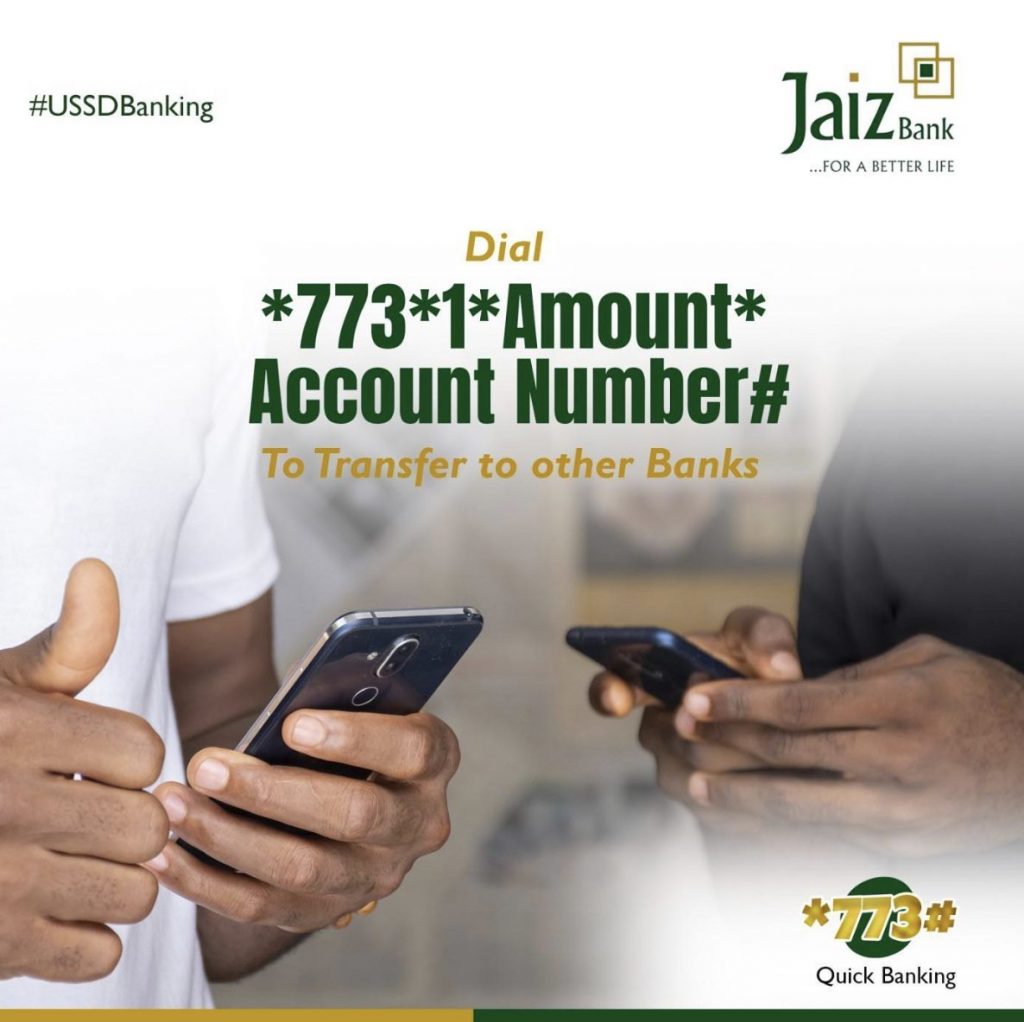
*773*Amount*Account Number#. - To other banks: Dial
*773*1*Amount*Account Number#.
- To Jaiz accounts: Dial
- Bill Payments: Access bill payment options via
*773#and follow the prompts. - Checking Account Balances: Dial
*773*0#to view your balance. - Buying Airtime:
- For self: Dial
*773*Amount#. - For others: Dial
*773*Amount*PhoneNumber#.
- For self: Dial
- Mini Statement: Get a mini-statement by dialing
*773#. - To Retrieve BVN: Dial
*565*0#.
Jaiz Bank Transfer via Mobile App
Instead of using Jaiz bank transfer code, you can alternative explore their app to perform your daily management of financial transactions.
Downloading and Installing the App
- Android Users: Open the Google Play Store and search for the Jaiz Bank mobile app.
- iOS Users: Visit the Apple Store and download the Jaiz Bank mobile app.
- Installation: Once downloaded, open the app and proceed with the installation.
Setting Up and Using the App
- Account Creation: Launch the app and select “Create Account”. Follow the prompts to enter your details and set up your account.
- Security Setup: After registration, navigate to the security settings to change your default PIN to a secure, memorable number.
- Making Transfers:
- Intra-Bank Transfers: Choose ‘Transfer’ and then ‘Intra’ to transfer money within Jaiz Bank.
- Inter-Bank Transfers: Select ‘Inter’ to send money to accounts in other banks.
- Transaction Authorization: Confirm each transaction with your four-digit PIN to ensure security.
- Completion: Transactions are confirmed with a notification of success on your device.
Frequent Asked Questions
- How do I get my Jaiz Bank transfer code?
Dial *773# on your registered mobile number and follow the setup instructions. - What are the charges for using the Jaiz Bank transfer code?
The charges are minimal and competitive. Specifically, the mobile networks in Nigeria (MTN, GLO, and Airtel) typically charge a fee of 6.98 Naira for each USSD session. - Can I use the Jaiz Bank transfer code from any mobile phone?
Yes, it works on any mobile device capable of dialing USSD codes. - What should I do if my transaction using the transfer code fails?
Try to name sure that you are using the correct USSD code, if error persist, you should contact Jaiz Bank’s customer service immediately for assistance.
Conclusion
The Jaiz Bank transfer code is a useful tool for financial transactions. By integrating this simple service, Jaiz Bank ensures that you can manage your finances effectively at your own convenience without store visits.
**Disclaimer**
This article is for informational purposes only and not intended as financial advice. The content is not sponsored by or affiliated with any entities mentioned. Readers should seek independent financial advice before making investment decisions.